
Download Clippy – Microsoft Office, parody, nostalgic, comedic assistant, fun tool, productivity app, joke app, retro humor, shareable app
Overview
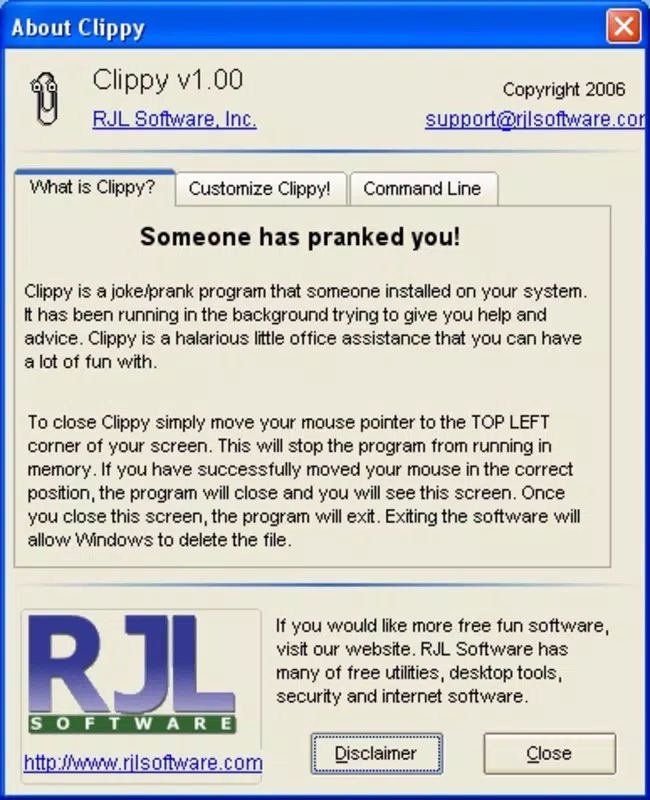
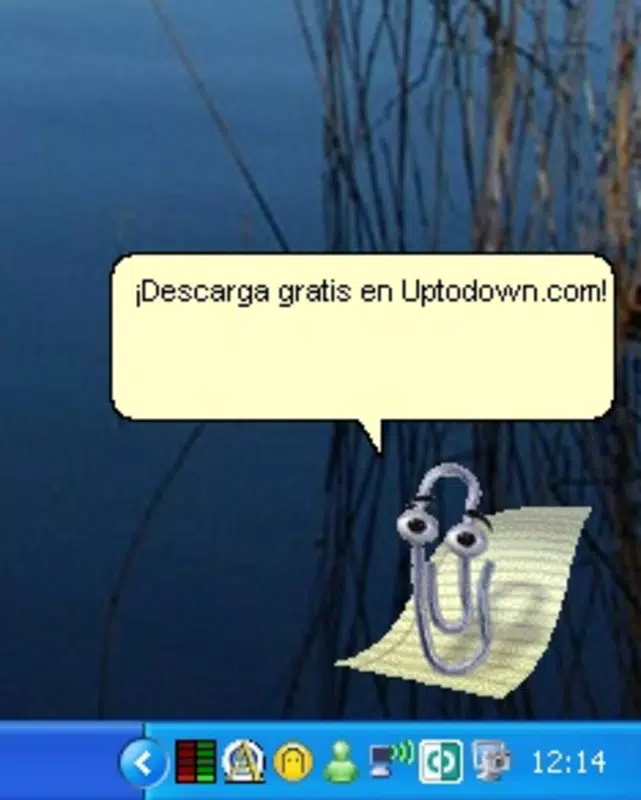
Clippy is a comedic mobile application that reimagines the infamous Microsoft Office assistant from the early 2000s as a playful, self-aware character. Designed as a nostalgic parody, the app embraces the original Clippy’s reputation for being intrusive and overly enthusiastic, transforming it into a lighthearted digital experience. Rather than serving as a productivity tool in the traditional sense, Clippy functions as a humorous companion that interrupts daily tasks with jokes, random reminders, and witty remarks. Its primary purpose is to entertain and evoke fond or ironic memories of a bygone era in software design.
Target users include individuals who appreciate retro humor, digital nostalgia, and internet culture. It appeals particularly to those who grew up using Microsoft Office during the early 2000s and now enjoy poking fun at its quirks. The app also serves as a social tool, allowing users to share customized versions with friends, turning simple interactions into playful exchanges. While not intended for serious work efficiency, Clippy adds a unique layer of personality to everyday smartphone use.
Developed by Thomas P. Larson and released on November 29, 2006, Clippy stands as a standalone homage to a cultural artifact of early digital life. Though the developer did not provide additional technical details, the app’s enduring presence highlights its niche appeal within the mobile ecosystem. It occupies a unique space between utility and entertainment, proving that even outdated software icons can be reborn with new purpose.
Key Features & Functionality
- Hilarious Jokes and Reminders: Clippy frequently interrupts user activity with spontaneous jokes or reminders of its presence. These interruptions are designed to be unexpected and amusing, keeping the experience fresh and engaging. For example, it might pop up mid-task with a comment like “I see you’re writing a document—want some help with formatting?” even when no help is needed.
- Full Customization: Users can personalize Clippy by editing a simple .txt file located in the app’s root folder. This allows for the addition of custom messages, jokes, or reminders tailored to individual humor or shared with friends. The ease of editing makes it accessible even to non-technical users.
- Nostalgic Parody: Clippy leans into the original assistant’s legacy by exaggerating its quirks—its overly cheerful tone, persistent interruptions, and outdated design. This amplification turns frustration into fun, creating a layered experience that appeals to both those who disliked the original and those who fondly remember it.
- Share with Friends: The app supports sharing customized versions, enabling users to exchange unique Clippy personalities. This feature turns the app into a social experience, where friends can challenge each other to create the funniest or most absurd Clippy messages.
These features combine to create a low-stakes, high-fun experience. Whether used during breaks, while working, or as a party trick, Clippy delivers consistent entertainment through its exaggerated persona and user-driven content.
Interface, UX & Performance
Clippy features a minimalist interface that mirrors the original Office assistant’s visual style—simple, cartoonish, and instantly recognizable. The app’s layout is straightforward, with Clippy appearing as a floating icon or pop-up that can be dismissed or engaged with. Navigation is intuitive, relying on minimal user input: the app operates autonomously, triggering interruptions based on predefined or custom scripts.
Although the developer did not list formal performance metrics, the app’s small file size of 1.2 MB suggests efficient resource usage. It is designed to run smoothly on a wide range of Android devices, including older models. Responsiveness is likely consistent with the app’s lightweight nature, ensuring that interruptions occur without noticeable lag.
Stability appears to be maintained over time, given the app’s long-standing availability since 2006. However, compatibility with modern Android versions may vary, as the developer did not specify minimum OS requirements. Users should expect a basic, unpolished experience that prioritizes charm over advanced functionality.
Platform Compatibility & Technical Requirements
Clippy is available exclusively on the Android platform. The app’s current version is 1.0.2, with a file size of 1.2 MB. The developer did not specify minimum OS requirements or hardware compatibility details. As such, it is unclear whether the app functions on the latest Android versions or requires older system configurations.
Given its release date in 2006, the app likely predates many modern Android security and performance standards. Users should exercise caution when installing apps from older sources, especially if downloaded from unofficial channels. The app is free to download and install, making it accessible to a broad audience.
Pros and Cons
- Lightweight design with minimal storage usage
- Unique nostalgic appeal for users familiar with early Office software
- Customizable content via simple text editing
- Encourages social sharing and playful interaction
- Free to download and use
- Outdated interface may not appeal to younger users
- Unclear compatibility with modern Android versions
- No official updates since 2006
- Minimal technical support or documentation
- Security risks may be present due to age and lack of updates
FAQ
Is Clippy safe to install on Android?
Clippy is free and has been available since 2006. However, due to its age and lack of recent updates, it may not meet current Android security standards. Users should only install it from trusted sources and be aware of potential risks.
Can I customize Clippy’s messages?
Yes. Users can edit a simple .txt file in the app’s root folder to add custom jokes, reminders, or messages. This allows full personalization of Clippy’s behavior and tone.
Is Clippy available on iOS?
Based on the provided information, Clippy is only available on Android. There is no indication of an iOS version.
How do I share my customized Clippy with friends?
After editing the .txt file, users can transfer the app folder to friends via USB, cloud storage, or messaging apps. Friends can then install the modified version on their devices.
Does Clippy require internet access?
There is no indication that Clippy requires an internet connection. It operates offline using local scripts, making it suitable for use without data.
Final Thoughts
Clippy is more than just a mobile app—it’s a cultural artifact wrapped in humor. By embracing the legacy of a once-irritating digital assistant, it transforms frustration into fun, offering a unique blend of nostalgia and comedy. While it lacks modern features and updates, its charm lies in its authenticity and simplicity. It’s ideal for users who enjoy retro humor, shareable digital experiences, or want to add a playful twist to their daily routine.
For those seeking a lightweight, free, and entertaining app that stands out from the crowd, Clippy delivers on its promise. It may not boost productivity in the conventional sense, but it certainly enhances the mood. Download Clippy now.


